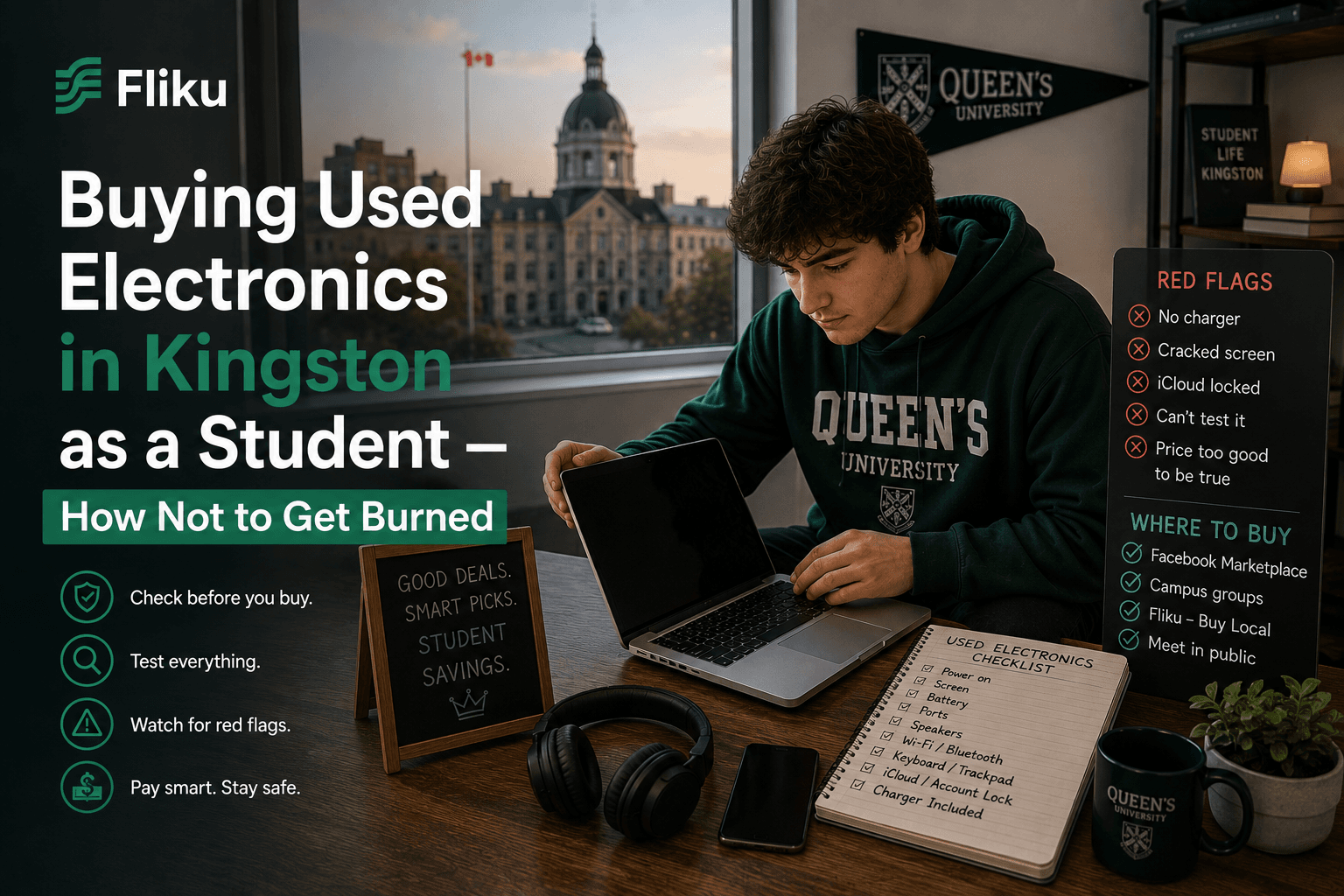
Quick Answer
Activation-locked iPhones, dead laptops that passed a 30-second test, scammers who know exactly when Kingston students arrive with cash. Here's how to buy used electronics safely.
Buying Used Electronics in Kingston as a Student
You bought the iPhone. The seller seemed fine. You met at the Tim Hortons on Princess Street, tested it in the parking lot, it turned on, Face ID worked, everything looked normal. You paid $280 cash and walked back to your apartment on Earl Street feeling like you'd scored.
Six days later it says "iPhone Unavailable." Then it says "iPhone Locked to Owner." The previous owner's Apple ID is still on the device and they've remotely locked it. You try the number you have for the seller. Voicemail. You try again. Disconnected.
$280 gone. This happens to Kingston students every single September. Not occasionally — multiple times, every semester, in every faculty. The people running these scams know the academic calendar. They know when thousands of students arrive in Kingston with money and urgency and not enough time to be careful.
It is entirely preventable if you know exactly what to check before you hand over a dollar.
iPhone and Android — The Checks That Catch Every Scam
Every used phone transaction in Kingston should include these checks, in this order, before you pay. Do not let anyone rush you through this. If they are impatient or want you to skip steps, that is your answer about whether to buy.
For iPhones:
Check 1 — Activation Lock: Go to Settings → General → Transfer or Reset iPhone → Erase All Content and Settings. If it asks for an Apple ID and password that the seller cannot provide, the phone is locked to their account and will become a brick the moment they remove it from Find My. This is the most common scam in Kingston's used phone market. Walk away immediately.
Check 2 — IMEI blacklist: Find the IMEI by dialing *#06# or going to Settings → General → About. Go to checkmend.com or ask the seller to check it with you. A blacklisted IMEI means the phone was reported stolen. It will not connect to any Canadian carrier.
Check 3 — Battery health: Settings → Battery → Battery Health & Charging. Anything below 80% means the battery needs replacing within months — that's a $100+ repair. Use it as a negotiating point, not a dealbreaker, but know the cost.
Check 4 — Everything physical: Test the front and rear cameras, both speakers, the microphone (call someone), every port, Face ID or Touch ID, all buttons, the screen for dead pixels, and the corners and edges for damage not visible in photos.
For Android phones:
The equivalent of Activation Lock on Android is Google account lock (FRP — Factory Reset Protection). Go to Settings → General Management → Reset → Factory Data Reset. If it requires a Google account the seller cannot access after reset, walk away for the same reason as with iPhones.
Buying a Used Laptop in Kingston — What to Test
A used laptop that "works fine" in a 30-second test can have serious problems that only show up an hour into a lecture. Test thoroughly before you pay.
Battery life: Unplug the laptop and check the battery percentage. Then use it normally — browse, open a few documents — for 15-20 minutes and check again. A battery that drops 10% in 15 minutes of light use is nearly dead. Factor in a $80-120 battery replacement or walk away.
Screen: Open a white browser tab and look for dead pixels (black dots), yellowing, or backlight bleed (bright patches around the edges in a dark room). Dead pixels are cosmetic and acceptable. Significant backlight bleed or yellowing is a screen problem that's expensive to fix.
Keyboard and trackpad: Open a text editor and type every key — not just letters, but function keys, the space bar multiple times in quick succession, and any that look worn. Test the trackpad with multi-finger gestures. A stuck or dead key on a laptop you will use for studying is unacceptable at any price.
Ports: Plug something into every USB port. Connect to WiFi (ask for the seller's network) and confirm internet works. If there's an HDMI port, test it if possible.
Heat and fan: Put the laptop under mild load — open five browser tabs and play a YouTube video. After five minutes, feel the underside. Laptops run warm but if it's burning hot after five minutes of light use, the thermal paste is degraded or the fan is failing. Both are $50-100+ repairs.
Check the storage and RAM: On Windows, right-click My Computer → Properties. On Mac, Apple Menu → About This Mac. Confirm the specs match what was advertised. This sounds obvious but misrepresentation of RAM and storage in Kingston's used laptop market is common.
Where to Buy Used Electronics in Kingston
Fliku's electronics listings in Kingston are the safest starting point. The local-only nature of the platform means you are meeting someone who actually lives in Kingston — not a faceless online seller with a PO box. Local accountability is real accountability.
For phones specifically, a few Kingston-specific options beyond classifieds:
- Orchard (online, ships to Kingston) — certified refurbished iPhones with a warranty. More expensive than classifieds but genuinely risk-free.
- Local phone repair shops on Princess Street — sometimes sell refurbished phones that have been through their shop. Ask directly.
- Queen's University Buy & Sell Facebook group — students selling to other students. Not scam-free but the accountability of a real profile and mutual community reduces risk significantly compared to anonymous platforms.
Red Flags That Mean Walk Away Immediately
These are not yellow flags requiring careful consideration. These are walk-away signals.
- Cannot unlock the device in front of you — no explanation makes this acceptable. The device is locked to someone else's account.
- Price is significantly below market — a $800 retail iPhone listed for $180 is stolen or defective. There is no other explanation.
- Asks to meet somewhere isolated — meet only in public. Tim Hortons, McDonald's, a mall food court. Anyone who wants to meet in a parking lot behind a building at night is not a legitimate seller.
- Rushes you through the inspection — "I have somewhere to be" during a $300 transaction means they do not want you to find the problem.
- Won't let you test before paying — non-negotiable. Test everything before any money changes hands.
- Sends a payment link instead of receiving e-transfer — you send e-transfers, you do not receive them through links. Payment links are phishing.
How to Pay Without Losing Your Money
Cash or e-transfer only. Nothing else.
E-transfer is actually preferable to cash for electronics because you have a record of the transaction. Send e-transfer only after you have completed every inspection and are holding the device in your hands. Never send before. Never send to a link the seller provides — generate the transfer yourself to the seller's email address.
Do not accept "I'll send you the password after the transfer goes through." The password is provided before you pay, while you're standing there testing the device. This is not negotiable.
Queen's University Student Affairs maintains resources on common scams targeting students in Kingston — worth reviewing before your first used electronics purchase.
What Used Electronics Actually Cost in Kingston
| Item | Realistic Used Price in Kingston | Watch Out If |
|---|---|---|
| iPhone 13 (good condition) | $400–520 | Under $300 — likely stolen or locked |
| iPhone 12 (good condition) | $280–380 | Under $200 — major red flag |
| Samsung Galaxy S23 | $380–500 | Check Google FRP lock first |
| MacBook Air M1 (2020) | $700–900 | Check battery health, charger included |
| MacBook Pro 13" (2019-2020) | $650–850 | Check keyboard for sticking keys |
| Windows laptop (mid-range) | $250–450 | Confirm RAM and storage match listing |
| iPad (8th gen) | $200–300 | Check Activation Lock same as iPhone |
Frequently Asked Questions
How do I check if an iPhone is activation locked before buying in Kingston?
Go to Settings → General → Transfer or Reset iPhone → Erase All Content and Settings. If it asks for an Apple ID and password that the seller cannot provide right there, the phone is linked to their account and will lock completely once they remove it from Find My iPhone — which they can do remotely at any time after the sale. This check takes 30 seconds and catches the most common used iPhone scam in Kingston. Do not skip it regardless of how legitimate the seller seems.
Is it safe to buy used electronics in Kingston?
Yes, if you do the inspections properly before paying. The risks are real — activation-locked phones, misrepresented specs, and devices with hidden faults are all common in Kingston's used electronics market. But all of them are catchable before you pay if you test thoroughly, check IMEI blacklist status, verify account locks are cleared, and meet in a public location. Students who get burned on used electronics in Kingston almost always skipped at least one of these steps under time pressure from the seller.
Where should I meet a seller when buying used electronics in Kingston?
Always meet in a well-lit, busy public location — a Tim Hortons or McDonald's on Princess Street, a food court at Frontenac Mall or Kingston Centre, or the seating area of any busy retail location. Never meet at someone's car in an empty parking lot, in a building you're unfamiliar with, or anywhere isolated. Public locations have witnesses, cameras, and people who notice if something goes wrong. For high-value items like laptops and phones, this is non-negotiable safety practice in Kingston.
What is a fair price for a used iPhone in Kingston, Ontario?
A used iPhone 13 in good condition with no damage and healthy battery sells for $400-520 in Kingston's current market. An iPhone 12 runs $280-380. Prices below these ranges are a signal that something is wrong — the device is activation locked, reported stolen, or has a significant defect the seller knows about. Check the IMEI on checkmend.com and verify the Activation Lock is fully cleared before paying anything for a used iPhone in Kingston.
How do I test a used laptop before buying in Kingston?
Unplug it and monitor battery drain during 15-20 minutes of normal use. Type in every key in a text editor. Test every USB port with a device. Connect to WiFi and confirm internet works. Open five browser tabs and a video and feel the underside after five minutes for abnormal heat. Check the screen for dead pixels by opening a white browser tab. Confirm the RAM and storage in System Settings or About This Mac match what was advertised. This full inspection takes under 20 minutes and catches every significant problem.
Used electronics in Kingston can save you $300-600 compared to buying new — but only when you buy smart. Know the checks, meet in public, test everything before you pay, and use a platform where sellers are actually local. Browse used electronics listings on Fliku in Kingston to see what's available right now, or post a wanted ad if you're looking for something specific. Kingston sellers respond fast and you deal with someone in the same city — not a faceless listing from three provinces away.